Getting dressed with a friend is the original styling app. Sending a picture and asking "does this work" is what people already do all day. Awtfit makes it structural rather than a chat thread you have to scroll back through.
What following someone gives you
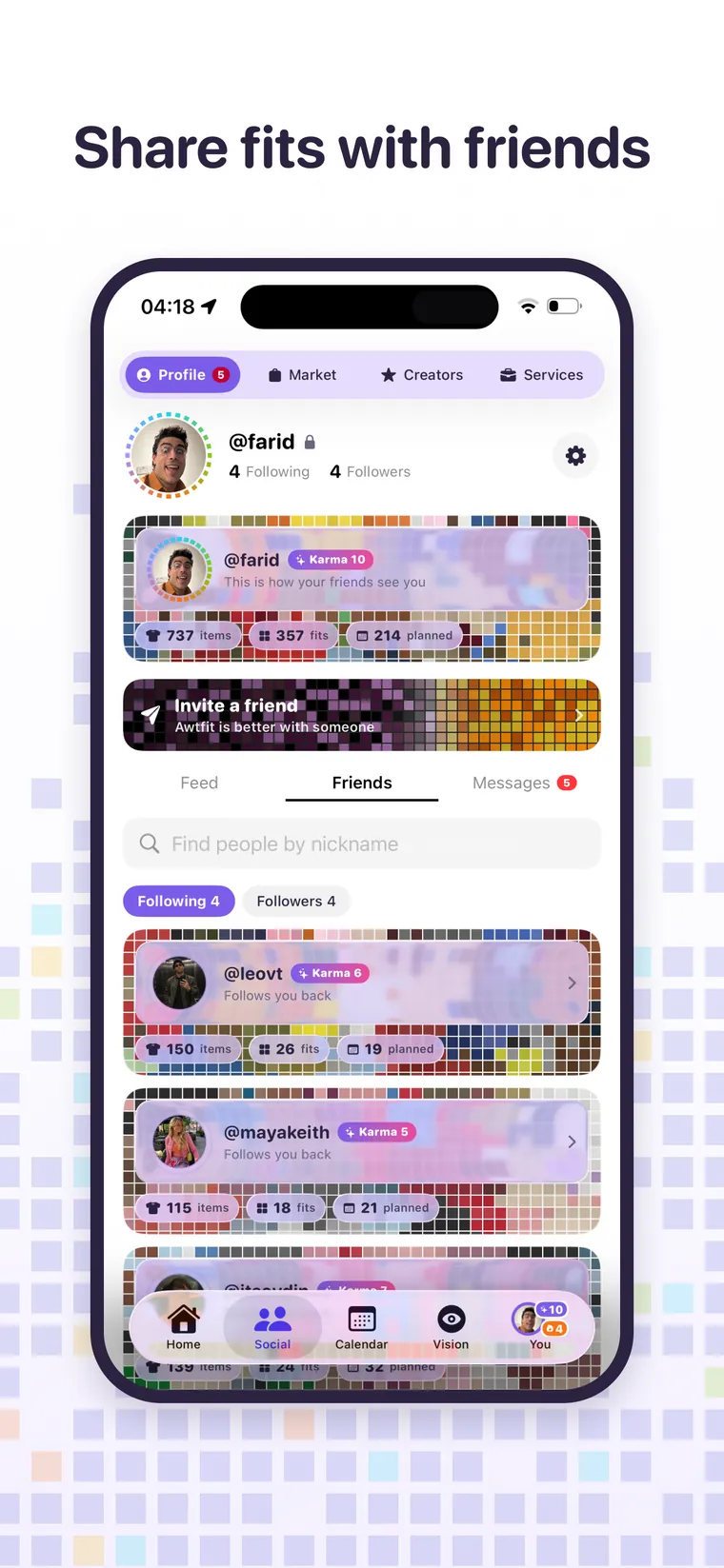
- Their closet, as a browsable wardrobe rather than a feed of pictures.
- Their Lab, so you can build an outfit from their clothes exactly as you build from your own.
- Their calendar, if they allow it, so you can see what they are planning to wear.
- Send and receive looks, which arrive ready to try on.
Permissions are per person, and they are yours
Following makes somebody eligible for access. It does not grant it. When you approve a follower you choose exactly what they get, with five separate switches:
- See my wardrobe: every item in your closet.
- See my fits: the outfits you have saved.
- Add fits for me: they can build outfits and save them into your Fits.
- See my calendar: what you have planned.
- Edit my calendar: they can plan days for you.
Those switches live on your account, not theirs, they are editable forever after from your followers list, and the server enforces them rather than the app hiding a button. Following is also directed: accepting somebody does not follow them back, and it never has.
An outfit knows whose clothes it is made of
A look sent through chat carries the wardrobe it came from. If you built it from their clothes it opens in their own Lab. If you built it from yours it opens as yours, so nobody is ever confused about whether they are being shown something they own.
Awtfit Karma
Every profile carries a level built from real activity: garments digitised, outfits made, days planned, friends styled. It sits beside the name on a mosaic drawn from the actual colours of that person's wardrobe, which means a profile card looks like the person's taste before you read a word of it.
Privacy, plainly
A private profile turns follows into requests you approve one by one. Nothing about your wardrobe is public by default, your preferences are never shared with anyone even when your wardrobe is, and your original photos never leave your phone at all.
Free every day. No trial clock.