Deciding what to wear is a decision you make every single morning, at the worst possible time of day to be making decisions. The point of a planner is not organisation for its own sake. It is moving that decision to a moment when you actually have taste and time.
What the planner reads before it dresses you
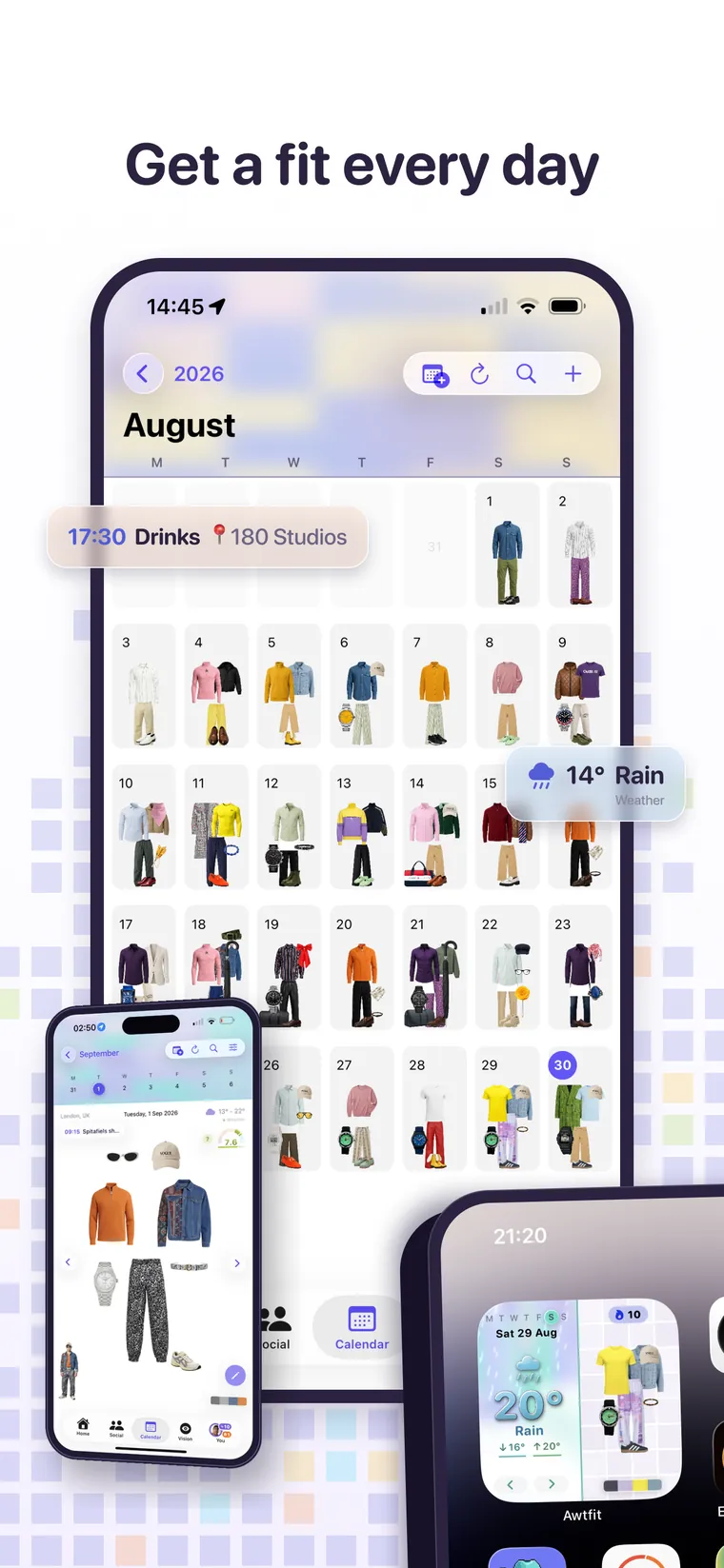
- The forecast where you are. Temperature range and conditions per day, so a wet Tuesday at nine degrees is dressed differently from a dry one at nineteen.
- Your diary. Events you have added to a day, with times and locations, because eight in the evening at a restaurant and eight in the morning at a gym are not the same styling problem.
- Your wardrobe. Only clothes you own, and it avoids repeating the same pieces across consecutive days.
The calendar wears the weather
Each day's header is painted from that day's forecast, on a continuous scale rather than five buckets: magenta when it is very hot, through orange, teal, cyan and blue as it gets colder, always threaded with the app's lavender. A month reads at a glance, and a cold snap in the middle of a warm week is visible before you read a single number.
Changing a day
Open any day and you are in the Lab with that outfit already laid out. Change anything, save it back, or clear the day entirely. Refreshing replans the days ahead, and days you edited yourself are treated like any other, so nothing you did is precious to the algorithm and nothing is safe from it either. If you want a day locked, plan it and do not refresh past it.
Plan a specific outfit for a specific day
From the Lab, the schedule button opens your own calendar rather than a date picker, showing what is already planned for each day so you can see that Thursday is taken before you book over it.
On your home screen
The widget shows today's sky on the left with the temperature written on it, and today's planned outfit on the right. It is the only part of Awtfit that works without opening Awtfit, and it flips to the new day overnight rather than waiting for you to launch the app.
What it costs
The calendar and the planner are free and unlimited. They run entirely on our own hardware, so planning a month costs you nothing and never touches credits.
Free every day. No trial clock.