People have tried to catalogue their clothes with spreadsheets, notes apps and camera roll albums for years. It always dies at the same point: the effort of adding an item exceeds the value of having added it.
Awtfit removes that effort. You take a photo. Everything else happens on our servers.
What happens to a photo
- Separation. Photograph one garment or a whole pile. Awtfit finds every item in the frame and cuts each one out on its own.
- Background removal. The garment is matted out of your bedroom floor, your bed or your rail.
- Flat lay reconstruction. Studio mode redraws the piece as a clean, front on, shop quality photo with invisible volume, so your closet looks like a catalogue rather than a camera roll.
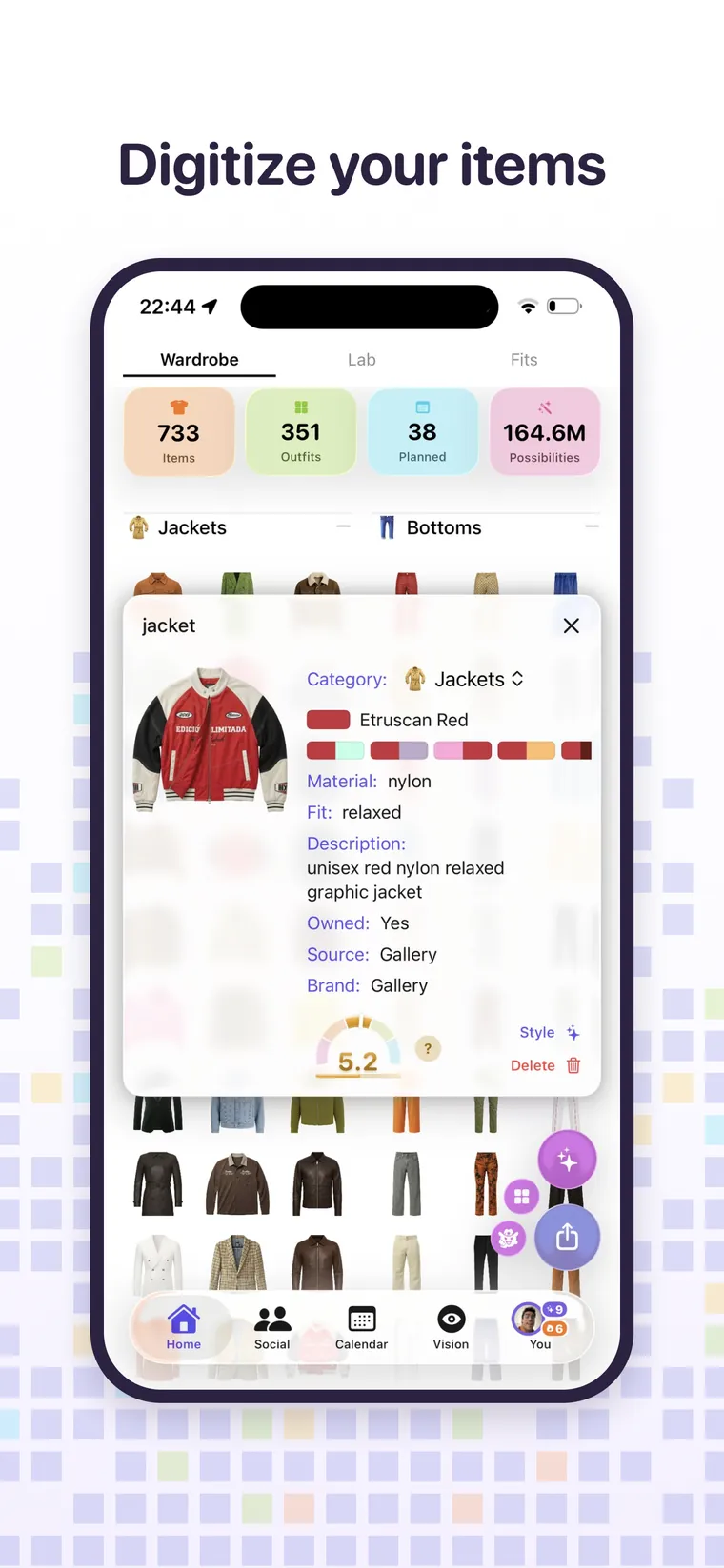
- Attributes. Category, type, brand, material and colour are all filled in for you, and all of them are editable.
Colour is measured, not guessed
This is the detail that makes everything downstream work. Awtfit reads the colour off the garment's own pixels rather than trusting the word on the label. A jacket sold as cream that is actually a warm grey gets filed as a warm grey, so it stops being suggested for outfits where cream was the point. Each garment is then matched to its nearest of 157 named colours.
Two ways to add, and when to use each
Studio flat lay takes about fifteen seconds and produces the clean reconstructed photo. Use it for anything you will actually wear in outfits, which is most things.
Quick item keeps your own photo with the background removed. It is instant, and it is the right choice for something you want recorded but do not need to look beautiful.
Six rules that make the results better
- One garment per photo when you want the best reconstruction.
- Lay it flat or hang it, with the whole item in frame.
- Plain background if you have one, though it is not required.
- Even light, no strong shadow across the piece.
- Do not fold parts away. Awtfit cannot invent a collar it was never shown.
- Shoot straight on rather than at an angle.
It lives in the cloud, not on your phone
Your wardrobe, outfits, calendar and previews are synced. Sign in on an iPad and everything is there. Lose your phone and you lose nothing. The one thing that never leaves your device is the original full resolution photo you took, because there is no reason for us to have it.
What you can do once it is in there
Search and filter by colour, category, brand or folder. Build outfits with the stylist. See what you own on your own body. Let the calendar dress you for the week. Show a friend your closet and let them style you from it. And, quietly, find out how many black t-shirts you actually own.
What it costs
The wardrobe itself is unlimited and free, forever. Adding items uses the scan allowance: three a day free, and ten a day for your first forty eight hours so you can build a real closet quickly. Awtfit Pro removes the cap.
Free every day. No trial clock.