You see an outfit you like. Reverse image search gives you the same picture on nine other sites. Asking the poster gets you nothing. That whole problem is what Scan exists to end.
What a scan gives you back
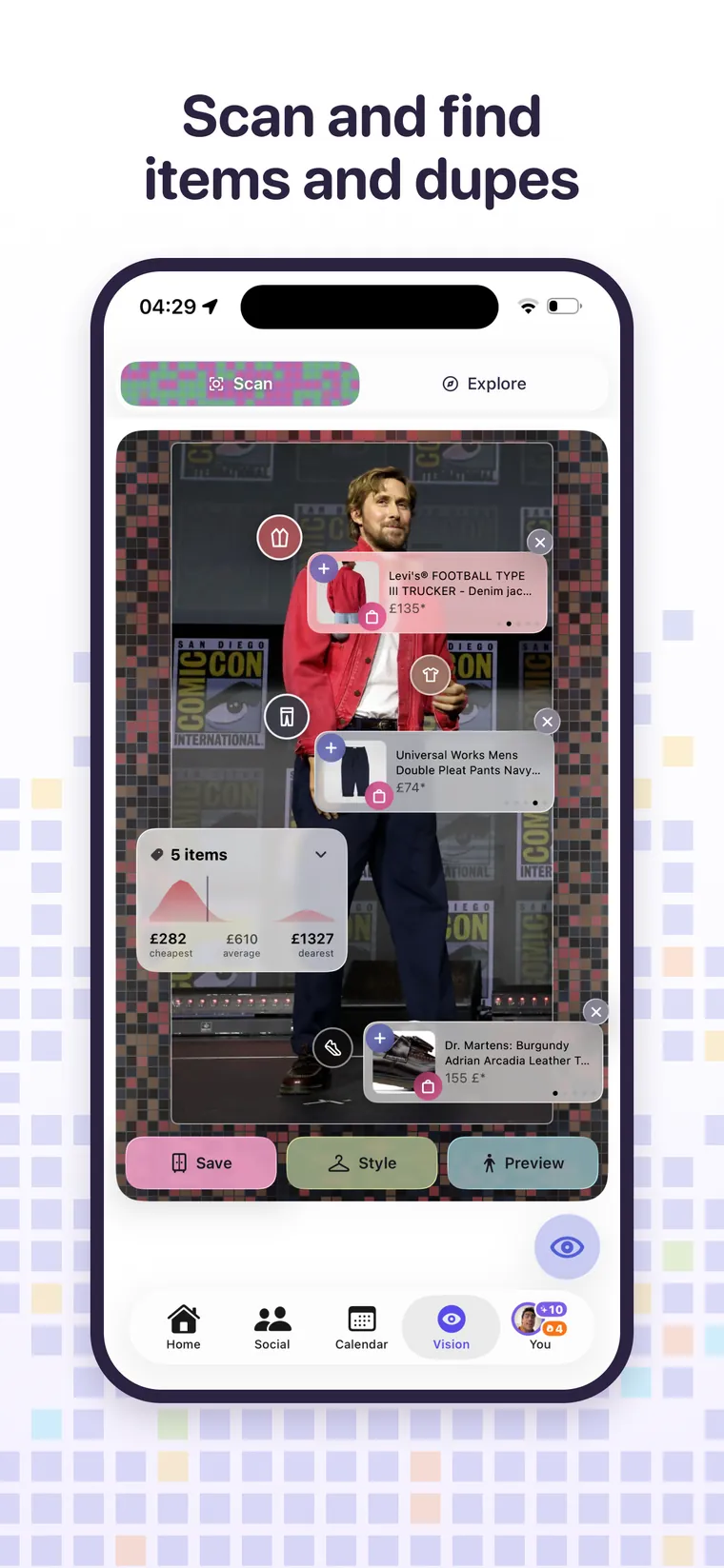
- Every garment identified in the frame, individually, with its own tag on the picture.
- Where to buy it, or the closest match, with a live price.
- Cheaper alternatives for each piece, because the jacket you liked being nine hundred pounds is useful information but not a plan.
- A price range chart across everything found, from cheapest to dearest, so you can see the shape of what the whole look costs.
- Three actions per look: save pieces to your wishlist, style them against clothes you already own, or preview the whole thing on yourself.
This is the part people miss
Finding the item is only half of it. The Preview button turns a scan into a fitting room: the garments come off the photo and onto your own body before you have spent anything. The Style button does something quieter and arguably more useful, taking the pieces you scanned and building an outfit that combines them with things already in your wardrobe, which is how you find out that the jacket works and you already own the trousers.
What you can point it at
- Screenshots of Instagram, TikTok, Pinterest or a shop.
- Street style and runway photography.
- A photo of a friend, with their permission.
- A photo of something in a shop when you want to check the price elsewhere first.
- Your own old photos, to work out what you were wearing on a day you liked.
Speed and cost
A scan takes about thirteen seconds and costs one credit regardless of how many garments are in the picture, because the expense is the photo going in rather than the items coming out. Three scans a day are free, ten a day for your first forty eight hours, unlimited on Awtfit Pro.
Scan against Explore
Scan starts from a picture you already have. Explore starts from a sentence: describe an occasion and get complete looks back, each one shoppable the same way. Same machinery, opposite starting points.
Free every day. No trial clock.